Amazon PPC Audit: 10 Things to Check When Your Campaigns Stop Performing
Campaigns underperforming but nothing looks wrong? Run this 10-point Amazon PPC audit before touching a single bid. Diagnose the real problem first.


Your campaigns were working. Then they weren’t. Spend held steady, maybe even climbed, but conversions dropped and ACoS crept up. You’ve checked the obvious things and nothing jumps out.
This is the diagnostic sequence we run before touching a single bid. Canopy’s Amazon PPC Management experts have found that most underperforming accounts are simply undiagnosed.
Work through these 10 checks before making any changes.
1. Search Term Report — Where Is Your Budget Actually Going?
Pull the search term report for the last 30 days and sort by spend, highest to lowest.
Scroll down past the terms you recognize and look at what’s consuming budget in the middle and bottom of the list. Broad and phrase match campaigns let through search terms you never intended to bid on, and over time, that list grows. High-spend, zero-conversion terms don’t announce themselves. They just drain budget quietly while your aggregate numbers get worse.

Negative keyword gaps compound. A search term report that hasn’t been actioned in 60 days can easily account for 20 to 30 percent of wasted spend in an otherwise well-structured account.
2. Bid-to-Conversion Alignment — Are Your Bids Still Based on Real Data?
Bids are only as good as the conversion rate assumptions behind them. If your conversion rate has dropped since those bids were set, the math has shifted against you.
Here’s a simple version: a keyword converting at 12 percent might support a $1.50 bid at your target ACoS. If that same keyword is now converting at 8 percent, the profitable bid is closer to $1.00. The bid didn’t change. The economics did.
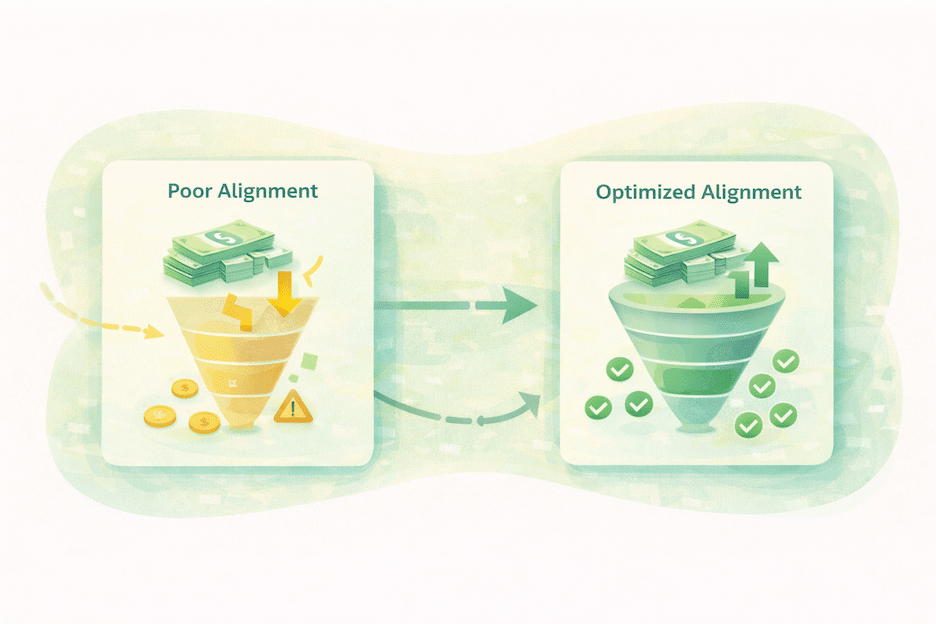
Conversion rates shift for reasons that have nothing to do with PPC: a price increase, a listing change, a drop in review count, new competitors with stronger offers. Check whether your current bids were calibrated to conversion rates that no longer reflect reality.
3. Budget Pacing — Are You Going Dark Mid-Day?
A campaign that hits its daily budget cap by early afternoon is invisible for the rest of the day. In most categories, that includes peak shopping hours.
Check your hourly impression data. If campaigns are going offline consistently by 1 or 2pm, your aggregate metrics are being pulled down by a structural problem, not a bid problem. A campaign running at full efficiency for 10 hours looks worse in aggregate than one running at lower efficiency for 16 hours.

The fix is either raising budget or tightening targeting so the budget lasts. Cutting bids to stretch budget often makes things worse by dropping out of competitive placement positions during the hours you are running.
4. Match Type Mix — Too Much Broad?
Broad match has legitimate uses in Amazon PPC. Discovery, competitive research, new product launches. But it needs aggressive negative keyword discipline to stay profitable at scale.
If broad match keywords are consuming more than 40 percent of your budget without proportional conversion volume, that’s the first place to look. The pattern is recognizable: broad match clicks trend up over weeks and months, ROAS trends down, and the connection between the two doesn’t get made until someone pulls the match type breakdown.
Check your budget allocation by match type and compare ACoS across each. The numbers usually tell the story quickly.
5. Keyword Cannibalization — Are Your Campaigns Competing Against Themselves?
Run the same keyword across multiple campaigns and Amazon’s auction will pit them against each other. The result is inflated CPCs and wasted impressions as your own campaigns compete for the same placement.
This is especially common in accounts that have been active for a while, inherited from a prior manager, or built by duplicating existing campaigns as a shortcut. Search for the same high-volume keywords across ad groups and campaigns. If the same term is appearing in multiple places without intentional structure, you’re paying more than you should be.
6. Placement Performance — Top of Search vs. Product Pages
Amazon breaks out performance by placement: top of search, rest of search, and product pages. These placements convert differently, and they often need different bids to perform efficiently.
Pull placement data for your top campaigns. If product page placements are eating a large share of spend at significantly lower conversion rates than top of search, you’re paying search-level bids for lower-converting inventory. The placement bid modifier exists to correct for this. Check whether you’re using it, and whether the adjustments reflect actual performance differences.
Ready to Start Growing Your Amazon Brand?
Canopy’s Partners Achieve an Average 84% Profit Increase!
Find out more7. Listing Quality — Is This a PPC Problem or a Listing Problem?
When clicks are up and conversions are down, the assumption is usually that something is wrong with the campaigns. Often, the problem is on the listing.
Here’s how to separate the two: check click-through rate first. If CTR is holding steady but conversion rate dropped, traffic quality isn’t the issue. Something changed after the click, on the listing itself: price competitiveness, primary image, review count, a content edit that weakened the copy. Adjusting bids won’t fix a listing problem. It will just make you more efficient at sending people to a page that isn’t converting.
8. Competitor Activity — Has Something Changed in Your Category?
Sometimes performance drops without anything changing in your account. A new competitor enters the category with aggressive sponsored placements. An established brand drops price. A heavily-reviewed product launches and pulls conversion share.
Check BSR trends for your main keywords, watch whether impression share has declined even as spend held steady, and look at price history relative to the competitive set. If external factors are driving the decline, the fix is different than if the problem is internal.
9. Dayparting — Has Performance Shifted by Time of Day?
Not all categories convert evenly across the day. If your category has shifted shopping patterns, running spend evenly across all hours means you’re funding dead zones.
Pull hourly conversion data for the last 30 days. Look for hours where spend is significant and conversions are consistently low. This pattern is especially common after seasonal transitions, when shopper behavior shifts and prior assumptions about peak hours no longer hold. Dayparting adjustments let you weight spend toward the hours that actually produce.
10. Attribution Window — Are You Looking at the Right Data?
Attribution window mismatches cause more confusion than most sellers realize.
Amazon’s default attribution window for Sponsored Products is 14 days. The 7-day and 30-day views are available in reporting and useful for comparison, but if you’re pulling a custom window to analyze performance, make sure it matches the window the campaigns were originally optimized against. A 30-day view will make last week’s campaigns look more productive than they are, because conversions from weeks ago are still being attributed. A 7-day view will make older campaigns look weaker than they were.
Before drawing conclusions from any performance pull, confirm your reporting window and your optimization window match. It’s a small check that eliminates a significant source of bad decisions.
What the Audit Usually Reveals

In most accounts, the decline comes from two or three of these issues working together. Broad match eroding budget, bids that weren’t updated when conversion rates slipped, and a listing issue that nobody flagged. None of them individually would explain the full drop. Together, they do.
Running through this list takes two to three hours depending on account size. The value is knowing which levers to pull before touching anything, rather than making changes that might fix one problem while masking another.
If you’ve worked through all 10 checks and still can’t locate the source of the decline, that’s what our free account audit is built for. Canopy’s PPC team will identify exactly what’s dragging performance and tell you what to fix first.
Canopy Management delivers end-to-end eCommerce growth, leading the industry in Amazon marketplace strategy while powering expansion through Shopify, Meta, and Google. Our full-funnel approach – from marketplace optimization to customer acquisition – has generated over $3.3 billion in partner revenue and made us the trusted growth engine for brands worldwide.
FAQ Section
For most accounts, a thorough audit takes two to three hours. Larger accounts with more campaigns, ad groups, and historical data will run longer. The time is front-loaded in the search term report and match type analysis — those two checks alone often surface the majority of the problem.
A full diagnostic audit is worth running any time performance drops meaningfully, after a major listing change, or after seasonal transitions. Lighter monthly reviews — checking search term reports and budget pacing — should be part of standard account maintenance regardless of whether performance has changed.
Rarely, and usually only if the drop was caused by a temporary external factor like a short-term competitor promotion. Structural issues like negative keyword gaps, keyword cannibalization, and misaligned bids don’t self-correct. They tend to compound over time.
In our experience across accounts, search term bleed from broad and phrase match campaigns is the most consistently overlooked issue. Budget drains on irrelevant terms don’t generate alarming error messages — the account just quietly gets less efficient over time.
Thinking About Hiring an Amazon Management Agency?
Canopy’s Partners Achieve an Average 84% Profit Increase!
Let’s talk