How to Fix an Amazon Seller Support Ticket That’s Stuck
Amazon Seller Support tickets stall at documentation, not urgency. A five-element framework (symptom, evidence, steps, impact, ruled-out causes) gets cases resolved.


TL;DR
Amazon Seller Support tickets stall at documentation, not urgency or resubmission. Cases that resolve in days instead of weeks share five elements: a specific symptom (not a general complaint), timestamped evidence, reproduction steps, quantified business impact, and a list of causes already ruled out. Filing in the right channel matters too. Brand Registry issues belong in the Brand Registry portal, account health in the Account Health Dashboard, advertising in advertising support. General Seller Support is the wrong queue for specialized issues.
A skincare brand notices a top-selling ASIN has dropped out of search results for its primary keyword. They open a Seller Support case: “Our listing is not showing up. Please fix it.” Two days later, a response arrives: “We’ve reviewed your listing and everything appears to be functioning normally.” They resubmit, this time more frustrated. Same response.
This pattern shows up in a large number of sellers’ accounts. Sellers assume Seller Support failed them. In our experience, the documentation is usually the part that broke down. The ticket couldn’t get the case where it needed to go.
After thousands of support cases across hundreds of partner accounts, we’ve found that documentation quality can be a significant variable in resolution time. The same issue, filed with the right evidence, can resolve in 48 hours instead of three weeks.
Urgency doesn’t drive faster outcomes.
Resubmission frequency doesn’t either.
Evidence does.
How Seller Support Routes Your Case
Seller Support routing operates in tiers, what practitioners typically call Tier 1 and Tier 2. Tier 1 handles standard inquiries. In our experience filing cases across hundreds of partner accounts, simple Tier 1 responses come back within a day or two. Tier 2 handles complex policy interpretation, account reinstatement, and technical issues that need investigation. Substantive Tier 2 replies typically take a few business days, longer for cases that require internal escalation to specialized teams.

Tier 1 reps work from templates and have limited authority to investigate complex issues or override decisions made by other teams (Seller Performance, Catalog, Brand Registry). Their primary function is triage: does this case have the documentation needed to route it to a team with actual authority, or does it bounce back with a templated response?
This routing logic is the part most sellers miss. Most cases that stall don’t stall because the rep didn’t care. They stalled because the documentation didn’t give the rep what they needed to send the case upstream.
Two practical implications follow.
First, the initial submission is the most important. A well-built first case routes faster than a poorly built one with five follow-ups attached.
Second, different issue types route to different queues. Brand Registry issues belong in the Brand Registry portal, not general Seller Support. Account health issues route through the Account Health Dashboard. Advertising bugs go through advertising support. Filing in the wrong channel can mean weeks of misrouting before anyone with the right access sees the case.
The Most Common Reasons Tickets Stall
The vague complaint. “Sales are down, something is wrong” cannot be triaged. Each underlying symptom (traffic loss, conversion drop, suppression, de-indexing) routes to a different team. Isolate the symptom before submitting.
The emotional resubmission. Resubmitting the same case with stronger language generates the same templated response. Each follow-up should add new evidence, a new screenshot, a new datapoint, or a new attempt to rule out causes. Frustration is not evidence.
The wrong channel. Brand Registry issues belong in the Brand Registry portal’s Report a Violation or Contact Us flows. Account health issues route through the Account Health Dashboard. Advertising issues go through advertising support. General Seller Support tickets for specialized issues often get bounced or sit unrouted.
Missing diagnostic context. Reporting a symptom without ruling out common causes signals to the reviewer that the case still needs Tier 1 triage. Before submitting, check the Listing Quality Dashboard for at-risk flags, verify indexing with manual search tests, confirm inventory status, and review the listing edit history for recent compliance triggers.
What a Ticket That Gets Resolved Actually Contains
The cases we see resolve quickly share five elements. None involve urgency. All involve evidence.
1. A specific symptom, not a general complaint
“Our listing isn’t showing up” is too broad to triage. Compare: “ASIN B0XXX no longer returns in search results for the exact keyword [keyword]. As of [date] it ranked on page 1. As of [date] it does not appear in the first 20 pages of results.” The second version names the entity, the symptom, the timeline, and the deviation.
2. Timestamped evidence
Screenshots with visible dates and times. Screen recordings if the issue is reproducible. Browser URL visible in every image. The reviewer should be able to confirm what you’re describing without taking your word for it.
3. Reproduction steps
“Search [exact keyword] on amazon.com. Filter by [category]. ASIN B0XXX does not appear in the results. The attached screenshot taken [time] [date] confirms this.” A Tier 2 specialist should be able to replicate this in under a minute.
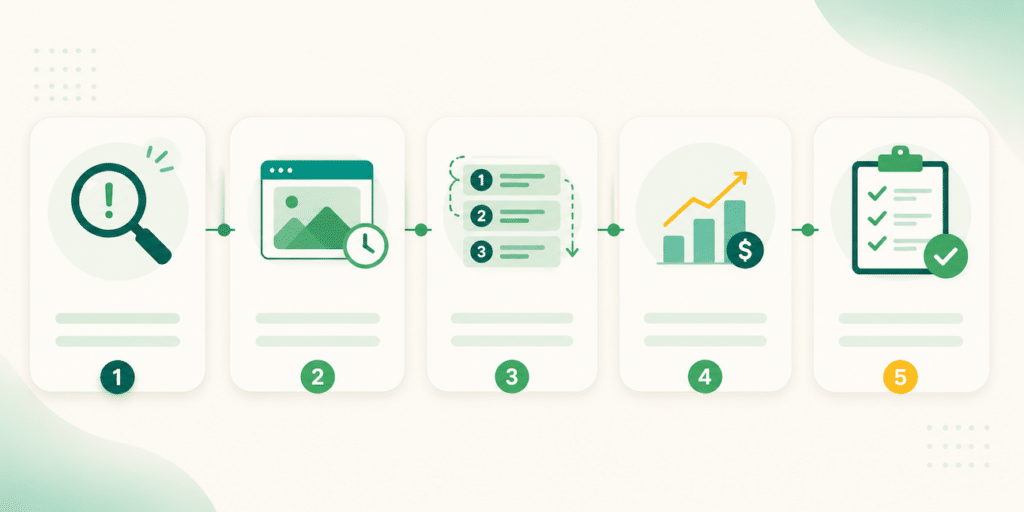
4. Quantified impact
“This keyword previously drove approximately X sessions per day based on our advertising and Search Query Performance data. Since [date], sessions from this keyword have dropped to near zero, representing approximately Y in attributed daily revenue.” Impact frames the case as a business problem worth escalating, not a personal complaint.
5. What you’ve already ruled out
“We have verified backend keywords are correct, confirmed the listing is active and in stock, checked the Listing Quality Dashboard for at-risk flags (none found), and confirmed there are no recent compliance edits to the ASIN.” This signals to the reviewer that you’ve done the standard diagnostic work, so the case can move directly to deeper investigation.
A case with all five elements doesn’t guarantee a fast resolution. It does guarantee the next reviewer has what they need to act, instead of sending you back through the diagnostic loop.
Catch Issues Before They Become Tickets
Every problem you catch through monitoring is a ticket you never have to write. We build the following cadence into our partner accounts:
Daily. Buy Box status and inventory status on top-revenue ASINs.
Weekly. Keyword rank tracking via Brand Analytics for top revenue-driving search terms. A rank slip from position 3 to 15 over two weeks is a leading indicator, not a coincidence.
Weekly. Advertising performance anomaly review. Unexplained CPC spikes or impression drops on stable campaigns often signal a listing-level issue, not a campaign issue.
Monthly. Account Health trend review. Metrics drifting toward a threshold are easier to fix than ones that have already crossed it.
For sellers with sustained high account health, Account Health Assurance is worth checking. The program enrolls eligible Professional Sellers (typically those who have maintained an Account Health Rating of 250 or higher for at least six months, with no more than 10 days below that threshold, and who have a valid emergency contact number on file) and gives access to Account Health Specialists who reach out proactively before deactivation.
Enrolled sellers get a 72-hour window to work with Amazon before account action. Enrollment is invitation-based, and eligibility appears on the Account Health page in Seller Central.
How Canopy Management Can Help
The brands that resolve issues fastest aren’t luckier. They’ve built documentation as a discipline. Their teams know how to isolate symptoms, gather timestamped evidence, route to the right channel, and write cases that move past Tier 1 on the first read.
Take an unresolved case sitting in your queue right now. Rewrite it with a specific symptom, timestamped evidence, reproduction steps, quantified impact, and a list of what you’ve already ruled out. Submit it as a new case. The difference in response speed is usually large enough to be the only proof you need.
Across hundreds of partner accounts, we file Seller Support cases every week: suppression appeals, listing corrections, FBA reconciliation, Brand Registry escalations, and account health interventions. Documentation discipline is one of the highest-ROI operational habits we build into the brands we manage. Our Partner Success team handles these cases directly, which is part of how our partners achieve an average 84% year-over-year profit increase.
Canopy Management delivers end-to-end eCommerce growth, leading the industry in Amazon marketplace strategy while powering expansion through Shopify, Meta, and Google. Our full-funnel approach — from marketplace optimization to customer acquisition — has generated over $3.3 billion in partner revenue and made us the trusted growth engine for brands worldwide.
Schedule a strategy session with our team to discover exactly how our proven frameworks can accelerate your growth.
Stuck Support Cases Are Costing You Real Revenue.
Canopy's Partners Achieve an Average 84% Profit Increase!
Get Your Free Account AuditFrequently Asked Questions
Give Tier 1 a day or two before following up. For Tier 2 issues (suppression, account health, technical problems), allow a few business days for a substantive reply. In our experience across partner accounts, if you’re past 7 to 10 business days with only templated responses, the case is stalled and needs new evidence or an escalation request, not another follow-up with the same content.
Each handles different issue types and has different access. General Seller Support routes through Help > Get Support in Seller Central and handles broad operational issues. Brand Registry support routes through the Brand Registry portal and handles IP violations, listing control disputes, and brand-related catalog issues. Account Health Support routes through the Account Health Dashboard and handles policy violations, suspension risks, and reinstatement appeals. Filing in the wrong channel often means weeks of misrouting.
Account Health Assurance is a free Amazon program that gives eligible Professional Sellers a 72-hour window to work with Account Health Specialists before any account deactivation. Eligibility requires maintaining an Account Health Rating of 250 or higher for at least six months, with no more than 10 days below that threshold, and a valid emergency contact number on file. Enrollment is invitation-based. Status appears on the Account Health page in Seller Central.
Yes, but escalation requests need to be substantive. Replying to a templated response with “please escalate” rarely works. The reply that moves a case forward references the case ID, summarizes what’s been tried, attaches new evidence or clarifying documentation, and clearly states the outcome you’re requesting. Cases with documentation gaps usually need the documentation fixed before they’ll escalate, not just a stronger request.
No. Urgency language doesn’t change routing or response priority. What changes both is documented business impact: specific revenue loss, specific operational disruption, with the numbers and timeframes attached. “This is killing our business” is unactionable. “Sessions from this keyword dropped from approximately 400 per day to near zero starting [date], representing about [Y] in attributed daily revenue” is actionable.
Yes. Open cases can be replied to from the Case Log, and recently closed cases can typically be reopened by replying to the case email or opening a new case that references the closed case ID. If a case was closed prematurely without resolving the underlying issue, reopening it with new evidence is more effective than starting a fresh case with no history.
Stuck Support Cases Are Costing You Real Revenue.
Canopy's Partners Achieve an Average 84% Profit Increase!
Get Your Free Account Audit