Your Walmart Listings Are Invisible to Half Your Shoppers. Here’s Why.
Most Amazon sellers think their Walmart listings are optimized. Backend attribute gaps mean filtered searches never see them. Here’s how to fix it.


Most Amazon sellers who expand to Walmart treat attribute fields the way they’d treat Amazon’s backend keyword section: a secondary optimization task, something to revisit after the title and bullets are dialed in.
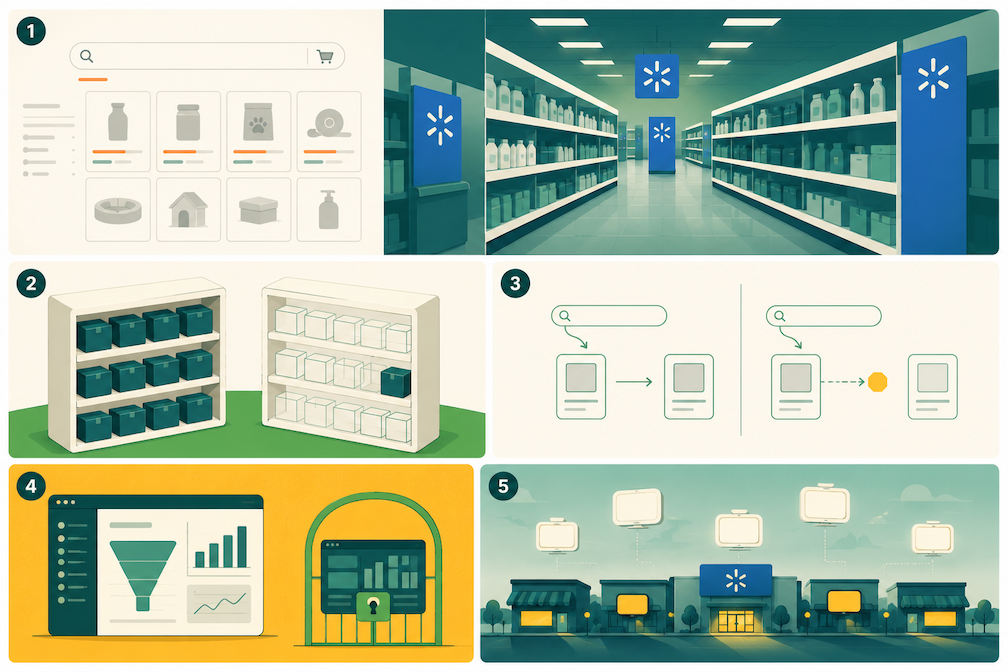
That framing leads to real ranking problems on Walmart, because attributes serve a fundamentally different purpose than Amazon backend keywords. On Amazon, backend search terms extend your keyword reach. On Walmart, attributes determine where your listing lives on the platform’s digital shelf, which filtered searches you appear in, and whether the algorithm can properly categorize your product at all.
Sellers who miss this distinction build listings that look complete but aren’t findable by a significant portion of shoppers who use filters to narrow their results.
What Walmart Attributes Actually Do
Walmart’s own Marketplace Learn documentation puts it plainly: “Attributes are features that describe an item (like color, material or size) and are required for every item sold on Walmart.com. Without attributes, customers will likely have a hard time finding your items.”
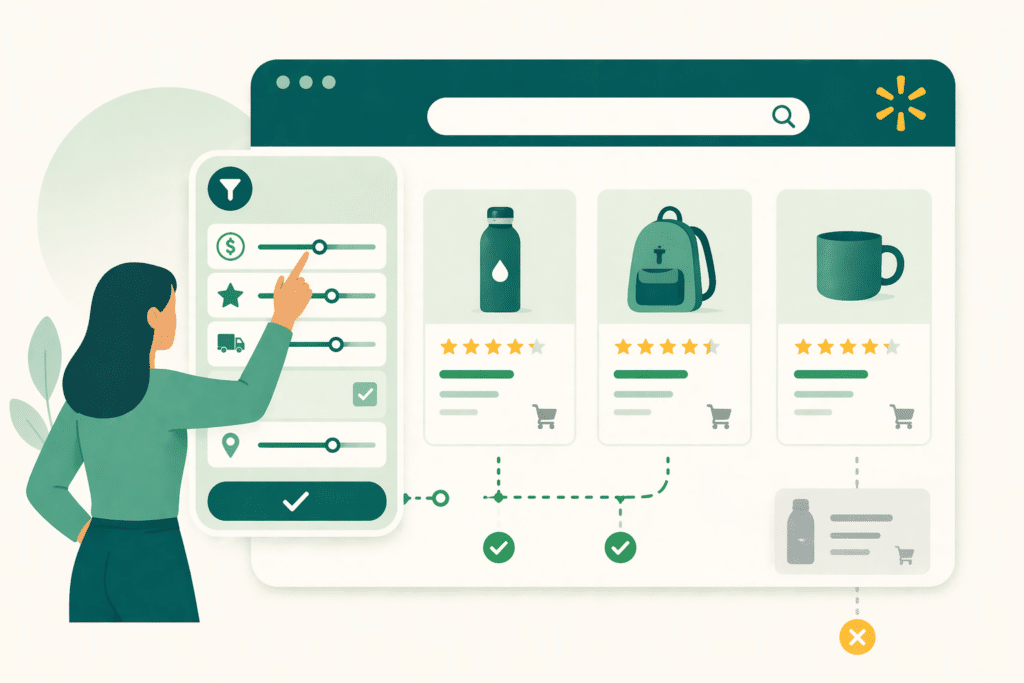
That understates the issue. Attributes don’t just make your listing easier to find. They determine whether your listing appears at all for shoppers who browse with filters active.
Here’s how it works. When a shopper searches for “Bluetooth wireless mouse” and then filters by connectivity type, screen compatibility, and color, Walmart’s algorithm matches those filter selections against the structured attribute data in your listing. If the connectivity attribute is blank, your listing doesn’t return for that filtered search. Full stop. The shopper who would have bought your product never sees it.
This is categorically different from keyword indexing. Keywords affect which search queries surface your listing in broad search results. Attributes determine eligibility for filtered search views, shelf placement, and browse navigation. A listing with a great title and no attributes is only visible to shoppers who happen to use the exact terms from your title with no filters applied. That’s a narrow slice of actual shopping behavior.
What Item Spec 5.0 Changed About the Attribute Landscape
Prior to August 2025, Walmart’s Item Spec 4.x framework allowed many attribute fields to use free-form text entries. Sellers could type whatever they wanted into fields like “material” or “connectivity,” which created inconsistency, poor search matching, and listings that appeared on incorrect shelves.
Item Spec 5.0 changed this fundamentally. The new framework replaced free-form inputs with structured, validated text fields across most attribute types. Instead of typing “plastic and rubber,” you select from Walmart’s approved material values. Instead of writing “Bluetooth enabled,” you select the specific connectivity standard from a standardized dropdown.

Walmart’s own documentation describes the impact clearly: “More attributes are now structured as text, meaning listings will appear on the correct shelves and navigation paths on Walmart.com.”
The practical consequence: listings built under 4.x with free-form attribute entries may not be mapping correctly to Walmart’s current filter and shelf infrastructure under 5.0. If you haven’t audited your catalog since the August 2025 migration, you may have attribute data that’s technically present but not properly structured, and therefore not functioning as filter eligibility signals the way you’d expect.
Required vs. Optional Attributes: A Distinction That Matters More Than It Sounds
Walmart categorizes attributes as required or optional for each product type. The common mistake is treating optional as unimportant.
Required attributes are the floor. They determine whether your listing gets published and whether it’s eligible for basic search indexing. Missing required attributes often mean your listing never goes live, or gets suppressed after launch. This is where most sellers focus their compliance work.
Optional attributes are where competitive advantage lives. In most product categories, the sellers who complete optional attributes substantially outperform those who don’t, not because optional fields are rewarded specifically, but because they expand the surface area of filter searches where your listing can appear. Every optional attribute you complete is a filter combination that you’re now eligible for that your competitors who skipped those fields are not.
Consider a cookware listing. Required attributes might include material, item weight, and product dimensions. Optional attributes might include dishwasher safe, oven safe temperature rating, induction compatible, PFOA free, and handle material. Each of those optional fields represents a filter that shoppers use to narrow their search. A seller who completes all of them appears in all of those filtered views. A seller who skips them appears in none.
Your Walmart Listings Might Be Missing Searches You Don't Know Exist.
Canopy's Partners Achieve an Average 84% Profit Increase Across Amazon and Walmart
Get Your Free Walmart Listing AuditThe Attributes That Carry the Most Weight by Category
Attribute importance varies significantly by product type. The fields that matter most for a piece of cookware are different from those that matter for a Bluetooth speaker or a piece of apparel.
As a general framework:
For electronics and tech accessories: Connectivity type, compatible devices and operating systems, power source, wattage, battery life, and screen size or compatibility fields drive a large share of filtered searches. These are the categories where shoppers are most likely to use specific technical filters rather than browsing broadly.
For apparel and textiles: Size, color, material composition, gender, fit type, and care instructions. Walmart’s filter architecture for apparel is particularly granular. Shoppers routinely filter by size and color simultaneously, and listings missing either become invisible in those filtered views.
For food and consumables: Dietary designations are among the most powerful filter attributes in this category. Organic, gluten-free, vegan, kosher, and similar designations function as filter eligibility flags. A product that qualifies for these designations but doesn’t have them populated in the attribute fields won’t appear when shoppers filter for them.
For home and kitchen: Material, dimensions, color, mounting type or compatibility, and room type designations. Shoppers buying home goods regularly filter by room, style, or material before they look at price.
This isn’t an exhaustive taxonomy. The right approach is to open Walmart’s Listing Quality Dashboard for your specific product type, review which attributes are available, and complete every field that legitimately applies to your product.
Attributes and Keywords: Getting the Relationship Right
Attributes and keywords serve different functions, but they’re not entirely separate. Walmart’s algorithm indexes structured attribute data for keyword matching as well as for filter eligibility. Completing an attribute field with accurate, descriptive data contributes to your keyword coverage, not just your filter surface.
This means the keyword strategy question is: “How do I make sure my title and description contain the terms shoppers search for?” And the attribute strategy question is: “How do I make sure my product appears in the filtered views where high-intent shoppers browse?”
The two questions have overlapping but distinct answers. A listing with strong keywords in the title but incomplete attributes will rank in broad keyword searches but miss filtered searches. A listing with complete attributes but weak title keywords will appear in filtered views but rank poorly in broad search results. The strongest listings address both.
One practical implication for attribute content: where Walmart’s structured fields include text descriptions like Features or Key Features, use relevant keyword phrases naturally within the accurate product description. These text attribute fields are indexed for search matching.
A camping tent that accurately describes “four-season weather protection” and “rated for below-zero temperatures” in its features attributes will match search queries containing those terms, extending keyword coverage beyond what the title can accommodate.
The Audit Process: How to Find Your Attribute Gaps
The Listing Quality Dashboard in Seller Center (accessible under Growth > Listing Quality) is the right starting point. It shows attribute completion rates at both the catalog level and the individual item level, and flags missing required and recommended fields.

Walk through this in priority order. Start with your highest-revenue SKUs and audit required attributes first. These are potential suppression risks if missing. Then move to optional attributes, working through the fields that are most likely to represent active filter searches in your category. The Amazon to Walmart Expansion Checklist covers when in the onboarding sequence this audit belongs and how to prioritize it against other setup tasks.
For any product that hasn’t been updated since before August 2025, check whether the attribute data migrated cleanly from Item Spec 4.x to 5.0. Free-form text entries that existed in the old spec may not have mapped to structured values in the new one. The Listing Quality Dashboard will surface these gaps.
One pattern we’ve seen across accounts: sellers often have attributes populated but populated incorrectly. A material field that says “stainless steel and plastic” in free-form text doesn’t register the same way as selecting “Stainless Steel” as a structured value.
If your attributes were entered before Item Spec 5.0’s structured format requirements, review them for format compliance, not just completeness. After the attribute audit is resolved, the next priority is getting your Walmart advertising structure in place so your improved listings are working with ad spend behind them.
Working With Canopy on Walmart Listing Optimization
Canopy manages Walmart catalog operations for brands across categories and revenue levels. Attribute audits are typically one of the first things we address when taking over a Walmart account, because the gaps are consistent and the impact on filter discoverability is immediate and measurable.
Our partners achieve an average 84% year-over-year profit increase. If your Walmart listings aren’t showing up where they should, get a free account audit and we’ll identify exactly where the gaps are.
Canopy Management delivers end-to-end eCommerce growth, leading the industry in Amazon marketplace strategy while powering expansion through Shopify, Meta, and Google. Our full-funnel approach — from marketplace optimization to customer acquisition — has generated over $3.3 billion in partner revenue and made us the trusted growth engine for brands worldwide.
Your Walmart Listings Might Be Missing Searches You Don't Know Exist.
Canopy's Partners Achieve an Average 84% Profit Increase Across Amazon and Walmart
Get Your Free Walmart Listing AuditFrequently Asked Questions
Walmart attributes are structured data fields that describe your product’s features: color, material, size, connectivity type, dietary designations, and dozens of others depending on product category. Unlike Amazon backend keywords, which primarily extend keyword search reach, Walmart attributes determine whether your listing appears in filtered browse searches and how the algorithm places your product on Walmart’s digital shelves. A missing attribute means your listing is invisible to every shopper who filters by that characteristic.
It depends on product category. For electronics, connectivity type and device compatibility are high-priority. For apparel, size, color, and material are critical filter drivers. Selling food products? Dietary designations like organic, gluten-free, or vegan function as filter eligibility flags. The Listing Quality Dashboard in Seller Center under Growth > Listing Quality will show which attributes are available and which are missing for your specific product types.
Item Spec 5.0, which Walmart completed rolling out in August 2025, replaced free-form attribute text entries with structured, validated fields. Instead of typing a material description, you now select from standardized values. This change means product attributes map correctly to Walmart’s filter and shelf infrastructure, but it also means listings built under the old spec may have attribute data that didn’t migrate cleanly. If your catalog hasn’t been audited since the transition, structured field compliance is worth checking.
Yes, and consistently so. Required attributes set the floor for listing eligibility. Optional attributes determine how many filtered search views your listing appears in. Every optional attribute you complete is a filter combination that adds to your discoverability that competitors who skipped it are not eligible for. In most categories, completing optional attributes is one of the highest-leverage optimizations available because so few sellers do it thoroughly.
Go to Seller Center, navigate to Growth, and open the Listing Quality Dashboard. This tool shows attribute completion at the catalog and item level and flags both missing required fields and incomplete optional fields. Prioritize your highest-revenue SKUs first, address required attributes before optional ones, and review any listing that was last updated before August 2025 for Item Spec 5.0 structured field compliance.