Amazon Product Launch Playbook: The First 90 Days of a New ASIN
How established brands launch a new product on Amazon in 2026: what has to be ready on day one, how to get the first reviews legally, and how to move ad spend from buying data to building rank.


An Amazon product launch in 2026 runs on a 90-day sequence. Before the listing goes live, the content, keywords, and inventory have to be finished. In the first month, the work is getting the first reviews through the two channels Amazon allows (Vine and the Request a Review button) and using automatic campaigns to learn which searches convert. In the second month, ad spend concentrates on the keywords that convert so sales velocity builds organic rank. By the third month, the product either holds rank with less paid support or it tells you something is wrong with the offer.
Established brands have a real head start: a catalog to cross-sell from, Brand Registry tools already in place, and ad history in the category. They also have one new problem this year. Since Amazon’s February to May 2026 rollout, a new product that’s functionally different from its siblings no longer inherits their reviews, even in the same variation family. Plenty of launch plans still assume it will.
This playbook is for brands adding a new ASIN to an existing Amazon business, not first-time sellers. It assumes Amazon is the right first channel for the product; if you’re still deciding between Amazon, Walmart, and TikTok Shop, start with our guide to choosing where to launch a new product.
Launching Into a Category Where Everyone Already Has Reviews?
Canopy's Partners Achieve an Average 84% Profit Increase!
Plan My Product LaunchWhat Changed for Launches in 2026
Three changes this year affect how a launch should be planned:
- Review sharing narrowed. Amazon announced that “reviews will only be shared between variations with minor differences that don’t affect functionality,” rolling out from February 12 to May 31, 2026. Color, pattern, same-function size, pack quantity, secondary scent, and model fitment still share. A new flavor of a supplement or a new model with different features now starts from zero reviews, so it needs its own review plan. Our breakdown of the review sharing update covers how to audit your existing families.
- Titles are capped at 75 characters (since July 27, 2026, with media categories exempt), with a separate 125-character searchable Item Highlights field. A new listing should launch compliant rather than get rewritten by Amazon later.
- Alexa for Shopping answers shoppers’ questions above search results and compares products side by side. A new product with thin attribute data and vague bullets gives it little to work with, at the exact moment you have no reviews to compensate. Our guide to Amazon AI optimization covers what the assistant reads.
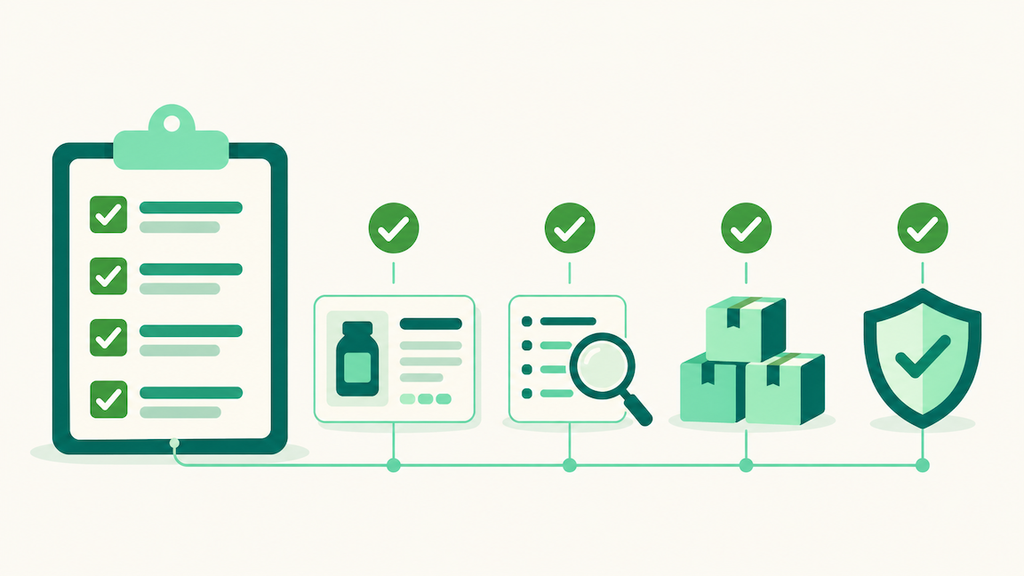
Before Launch: What Has to Be True on Day One
The most expensive launch mistake is going live half-finished and paying for ad traffic to a listing that can’t convert it. Every click you buy in week one goes to the version of the listing that exists in week one.
The listing is complete. That means a compliant title under 75 characters, Item Highlights filled in, bullets written around the questions shoppers ask, a full image stack, A+ Content, and every attribute field completed. Attribute completeness matters more now that Alexa for Shopping pulls from structured data to answer questions. Our complete guide to Amazon listing optimization covers each field under the 2026 rules.
The keyword plan exists before the first campaign. Pull the terms your closest competitors rank for, sort them by relevance and volume, and decide which ones belong in the title, which in the bullets, and which in the under-250-byte backend field. Our 10-step keyword research process is the method we use.
The variation decision is made on purpose. Under the 2026 rules, adding a functionally different product to an existing family doesn’t buy you its reviews. Group variations when shoppers would genuinely compare them on one page. Launch as a standalone ASIN when the product is different enough that combined reviews would mislead.
Inventory covers the launch and the first restock. A stockout in week five erases the velocity you paid for in weeks one to four, and Sponsored Products ads can stop serving when you’re out of stock or lose the Featured Offer. Plan the first shipment around projected launch sales plus the full inbound lead time for the restock, with some cushion. Our guide to protecting your IPI score covers the storage side of that balance.
Check what your account qualifies for. Amazon’s New Seller Incentives (a 10% bonus on the first $50,000 in branded sales, a $200 Vine credit, Sponsored Products credits, and FBA fee exemptions) are built for new selling accounts. Most established brands should build the launch budget without them, then check Seller Central in case anything applies.
Days 1 to 30: First Reviews and Search Data
The first month has two jobs: get a credible base of reviews, and learn how shoppers find the product.
Get the first reviews through the channels Amazon allows
Amazon’s guidance to sellers names two compliant ways to get reviews: the Request a Review button and Amazon Vine. Anything that ties an incentive to a review is prohibited, and that guidance specifically lists “offering incentives (discounts, free products, refunds, or other compensation) in exchange for a review.”
Vine is the launch tool. A product qualifies if it’s fulfilled by Amazon, belongs to a brand in Brand Registry, and has fewer than 30 reviews. Enrollment is priced per parent product: free for up to 2 units, $75 for 3 to 10, and $200 for 11 to 30. Amazon doesn’t charge until 30 days after enrollment and after the first review posts, and if no review arrives within 90 days, there’s no charge.
Enroll on day one. Vine reviewers write honest reviews, and a weak product will hear about it early, which is useful information even when it stings.
Request a Review sends an Amazon-generated email asking for both a product review and seller feedback. It can be used once per order, between 5 and 30 days after delivery. Most brands automate it through a tool so no eligible order gets skipped.
Run automatic campaigns to learn how shoppers search
Build launch campaigns in three layers
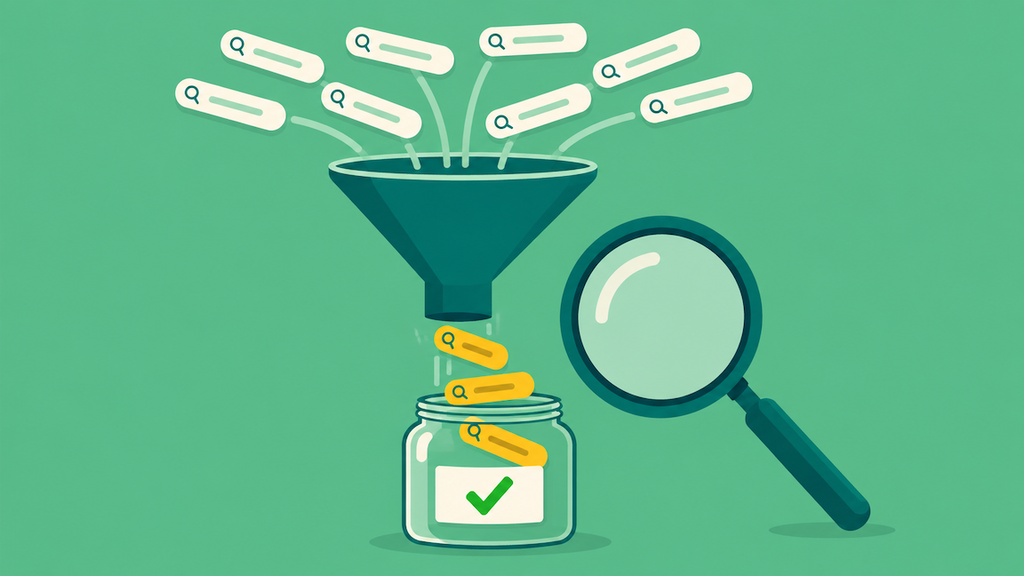
Amazon’s advice to new advertisers is to start with automatic targeting and let it run “for about two weeks before creating a manual campaign.” We build every launch in three layers on top of that:
- Exploration campaigns find the searches and competitor pages that convert, which are often different from what the keyword plan predicted. Run an automatic campaign, a broad-match campaign with 5 to 12 tightly relevant keywords (not 30 or 50), and a product-targeting campaign aimed at 10 to 20 competitor ASINs at similar price points. Bid above Amazon’s suggested bid at first, because low bids don’t win enough auctions to produce usable data.
- Intent capture campaigns are exact-match campaigns built from the terms the exploration layer has proven, plus the handful you’re confident about on day one. When a term moves into exact match, add it as a negative in the exploration campaigns so your own campaigns don’t bid against each other.
- Brand presence campaigns (Sponsored Brands and Sponsored Display) build awareness more than immediate sales. On a tight budget, keep the first 30 days to Sponsored Products; with room, run them from day one. Either way, run a Sponsored Products campaign on your own branded terms so the new product shows up when people search your brand.
Expect ACoS to run well above your account target in this phase. You’re paying for data and early sales, and the difference between ACoS and TACoS is the right lens for judging it.
Send outside traffic if you have it
Brands with an email list, social following, or DTC site have a launch lever first-time sellers don’t. Traffic you send to the listing produces sales that don’t depend on winning the ad auction. Our playbook for coordinating Facebook ads with an Amazon launch covers the sequencing.
Days 31 to 60: Concentrate Spend Where It Converts
By the second month you have search term data and, usually, a first set of reviews. Now the job is to stop spreading budget across everything the automatic campaign tried and concentrate it on the searches that convert.
Harvest and promote. Move converting search terms from the automatic campaign into exact-match manual campaigns with their own bids. Add the terms that spend without converting as negatives, so the automatic campaign keeps searching for new terms instead of paying for the same losers. Our negative keyword strategy guide covers how to do that without cutting terms too early.
Read Search Query Performance. In Brand Analytics, the Search Query Performance dashboard shows your share of impressions, clicks, add-to-carts, and purchases for each search term. A term where you win clicks but lose purchases points to a listing or price problem. A term where you convert well but get few impressions is where more spend will pay off. Our Brand Analytics guide walks through the reports.
Use price promotions deliberately. A coupon or a temporary price cut can lift conversion while the review count is still small. Treat it as a test with a start and end date and watch whether conversion holds once it ends. Since June 2025, each coupon costs $5 upfront plus 2.5% of coupon sales, so budget the fee into the test.
Fix the listing on evidence. If the reviews keep raising the same question or complaint, answer it in the bullets and images now. Early reviews are the cheapest product research you’ll get.

Days 61 to 90: Move From Launch to Efficiency
The third month is where launch spend should start paying for itself. If paid sales have built organic rank on your core terms, you can lower bids on those terms and watch whether organic sales hold. When they do, TACoS falls and the product is graduating from launch to normal management.
Three questions decide what happens next:
- Is the product ranking organically on its core terms? If yes, shift spend toward the next tier of keywords and toward Sponsored Brands to defend the position.
- Does conversion hold without the promotion? If conversion drops sharply when the coupon ends, the offer is too weak at full price, and more ad spend won’t fix that.
- Is the restock landing before you run short? A product that sells through faster than planned is a good problem, until it goes out of stock in month three and gives back its rank.
A product that’s still dependent on paid traffic at day 90, with complete content and a solid review base, usually has a positioning, price, or product problem. That’s worth diagnosing before you spend another quarter on ads. Our post on the three mistakes that kill launches covers the most common causes.
Launch Tactics That No Longer Work
A lot of launch advice online still describes tactics that Amazon has since banned or made risky:
- Rebate and “super URL” launches. In November 2021, Amazon clarified that off-Amazon rebates and manipulated URLs used to fake search behavior violate its Seller Code of Conduct. Our coverage of the rebate crackdown explains what changed.
- Free or discounted product in exchange for reviews. Outside Vine, any incentive tied to a review violates Amazon’s review policy, including review clubs and refunds after purchase.
- Assuming variation reviews will carry a new product. Under the 2026 rules, that only works for cosmetic variations.
How Canopy Runs Product Launches
For established brands, we run launches as part of the full account: the keyword plan, the listing, Vine and review generation, campaign structure, and the inventory plan are owned by the same brand manager, so the ad spend and the stock plan never get out of sync. We’ve helped partners generate more than $3.3 billion in revenue, and our partners see an average 84% year-over-year profit increase. When a launch shows signs of trouble at day 45, the same team that built the plan is the one diagnosing it.
Launching Into a Category Where Everyone Already Has Reviews?
Canopy's Partners Achieve an Average 84% Profit Increase!
Plan My Product LaunchFrequently Asked Questions
There’s no standard figure, because cost per click varies widely by category. Our rule of thumb is to budget launch ad spend at roughly 1.3 to 1.5 times your planned steady-state spend, so a product headed for $3,000 a month gets $4,000 to $4,500 a month during launch, because the first 30 to 45 days usually run at a loss while you buy data. Set a ceiling and a review date in advance so the launch doesn’t quietly turn into open-ended spend.
Amazon has never confirmed one, and we don’t plan launches around it. New products are ranked on predicted relevance and early performance. The first weeks matter because that’s when Amazon collects its first data about how shoppers respond to your product. Plan as if the product has to earn every position.
Amazon doesn’t publish a threshold. A useful benchmark is the review counts and ratings of the products ranking on page one for your core terms: when your rating is competitive and your count isn’t an obvious outlier on the low side, conversion usually stops being held back by social proof. In smaller categories, Vine’s 30-unit maximum can be enough to get there on its own.
Yes. Vine eligibility is checked per product: the item needs fewer than 30 reviews, FBA fulfillment, and a brand enrolled in Brand Registry. A brand with thousands of reviews across its catalog can still enroll each new launch.
It can, and for products that demonstrate well on video it often should. TikTok Shop creates demand you can’t buy through Amazon search, and some of that demand shows up later as branded searches on Amazon. Make sure the Amazon listing is complete and stocked before the TikTok push starts, so the people searching for the product find it.
At about day 90, if the listing is complete, the review base is competitive, and the product still needs paid traffic for most of its sales, the issue is usually the offer itself. Look at price against competitors, the main image’s click-through rate, and what reviewers keep complaining about before deciding to cut the product or relaunch it.
ABOUT THE AUTHOR

Chuck Kessler
I'm a Colorado based outdoor adventurer and AI whisperer. As the SEO and GEO Strategist for Canopy Management, my focus is on technology, elegant prompt sequences, and next-gen ranking strategies for eCommerce brand entrepreneurs.
Related Contents
- Amazon Agency
- Selling On Amazon
- Amazon Listing Optimization
- Amazon Product Launch
- Selling On Amazon
- Selling On Amazon